

Smarter audience targeting with AND/OR conditions in Adjust Audiences

The most effective campaigns reach users who are relevant to a clear marketing goal. But valuable users do not always share the same journey, characteristics, or signals. A loyalty campaign may need to reach high-spending users, highly engaged users, and frequent purchasers. A re-engagement campaign may need to include people who have stopped opening the app, stopped purchasing, or uninstalled it.
Until now, audience conditions in Adjust Audiences were combined with AND logic, meaning a user needed to meet every condition to qualify.
With the introduction of AND/OR condition logic in Adjust Audiences, you can create more flexible audience definitions that reflect the different ways users engage with your app.
Let's explore how this new capability works and how you can put it into action.
Build audience definitions that reflect real user behavior
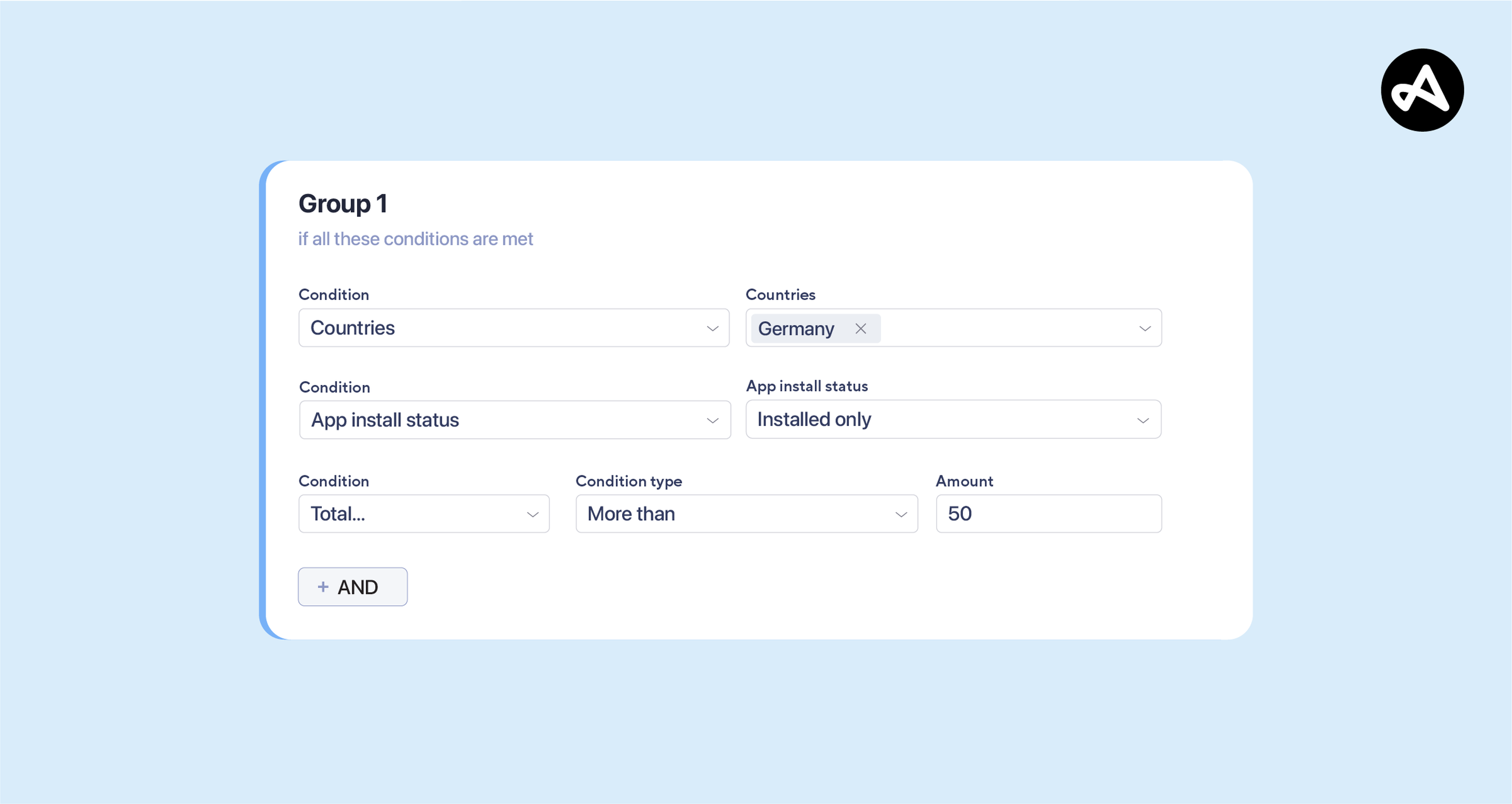
Historically, Adjust Audiences has combined different targeting conditions using AND logic. This is useful when every condition is essential. For example, you could create an audience of users who:
- Are located in Germany.
- Have your app installed.
- Have generated at least $50 in revenue.
Only users meeting all three criteria would be included.
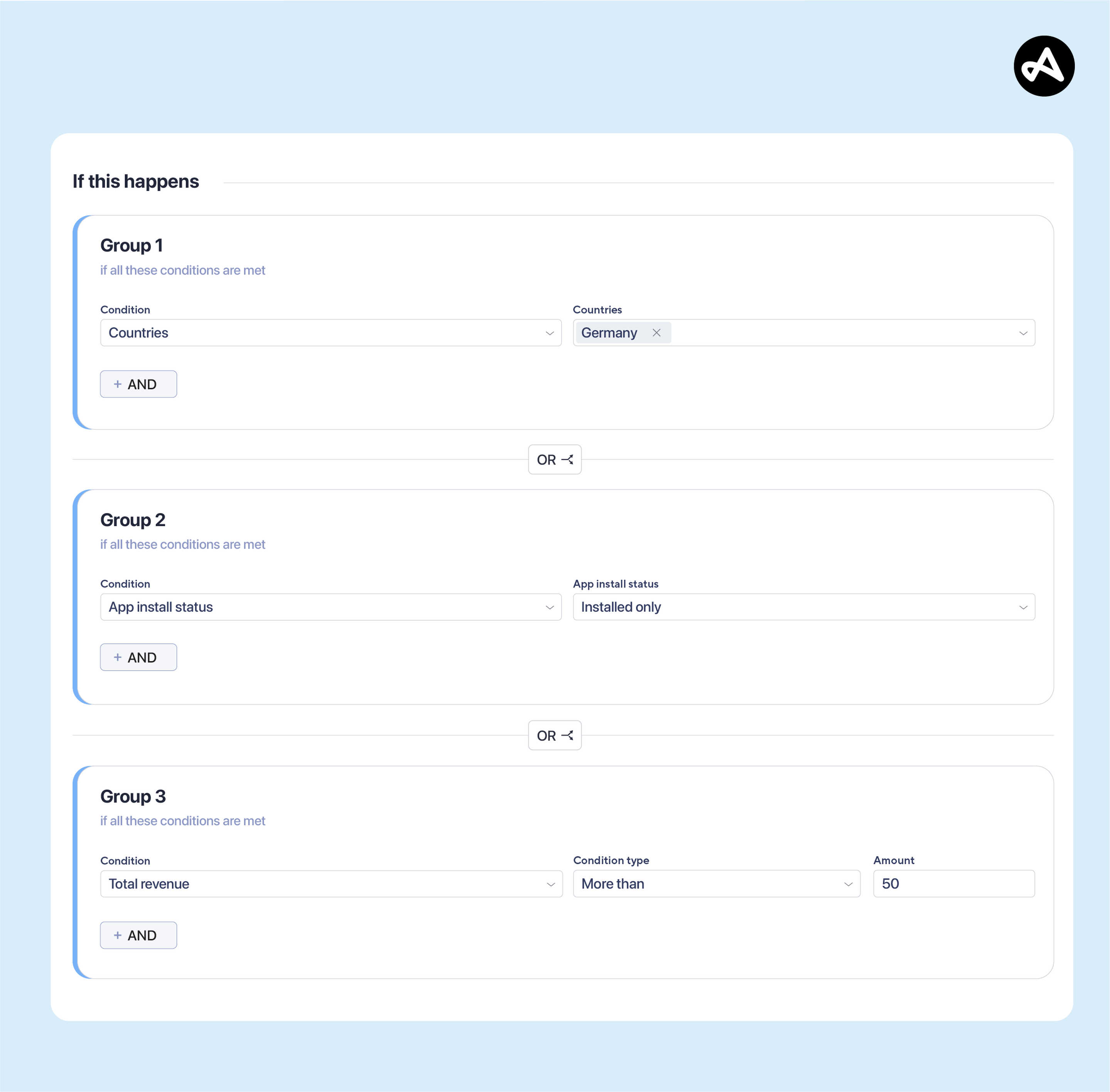
The new OR operator makes it possible to expand your targeting possibilities and include users who match at least one defined condition. You can also create logical groups, applying AND logic within each group and OR logic between groups.
For example, you can create an audience that includes:
- Users in Germany who have generated at least $50 in revenue.
- OR users in France who have generated at least 5 revenue events.
Each group represents a distinct user profile. OR logic brings those profiles into one audience without requiring every user to meet the same conditions.
This gives you more control over how you define relevant audiences while reducing the need to create separate segments for closely related campaign goals.
Three ways to use to use OR logic in your campaigns
In my last article, Turn segmentation into growth and scale campaigns with Adjust Audiences, we explored how geographic, acquisition-based, lifecycle, behavioral, and revenue conditions can help marketers build more effective campaigns.
Now, let’s take those strategies a step further.
Here are three practical ways to use the new OR operator to build audiences for different marketing objectives.
1. Bring high-value users into one loyalty campaign
Not all valuable users generate value in the same way. Some make frequent purchases, while others show consistent engagement or purchase frequently over time.
Imagine you’re launching a loyalty campaign for a gaming app and want to reach different types of valuable users.
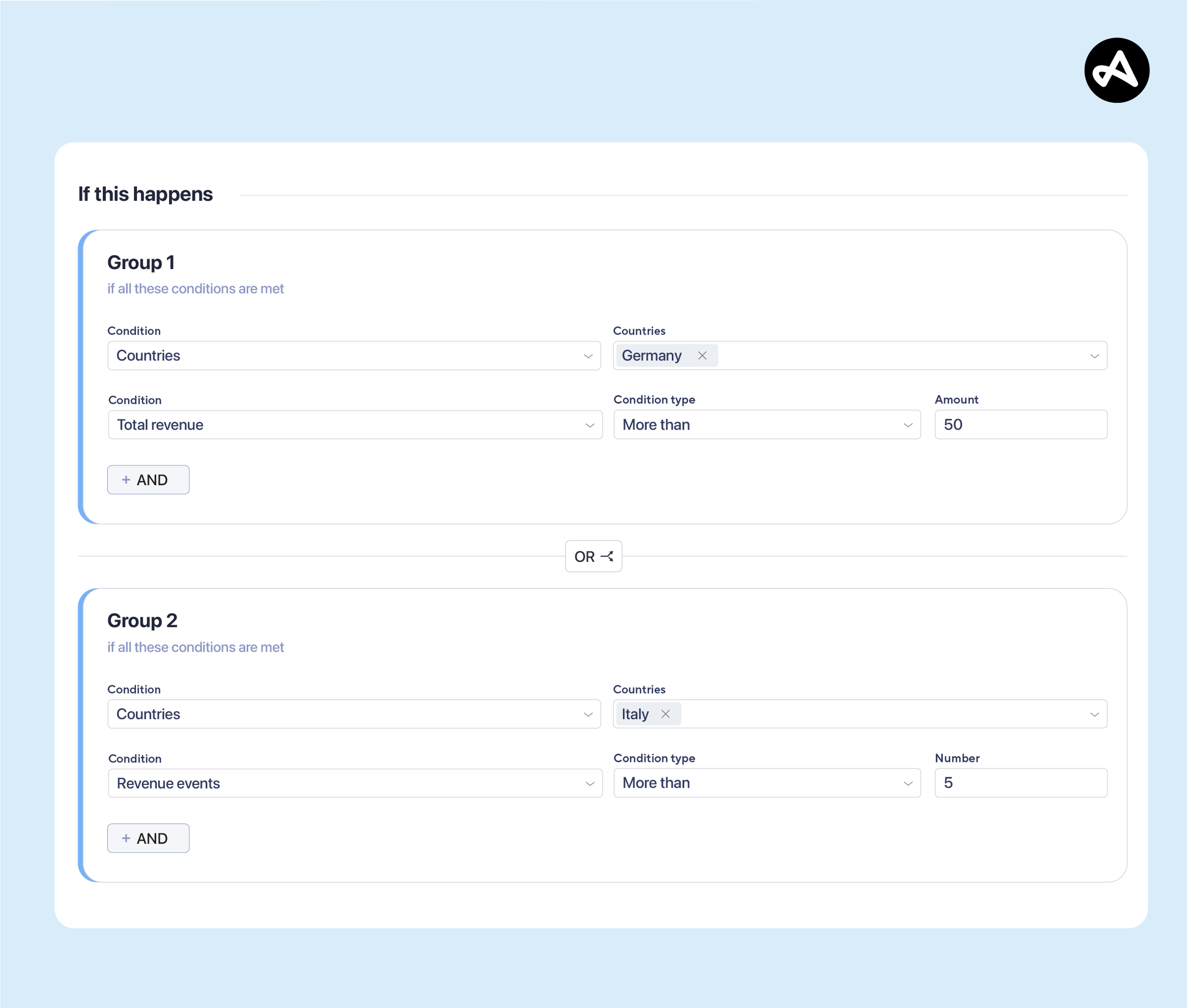
With OR logic, you can create an audience containing:
- High-spending users: Total revenue > $100.
- Highly engaged users: Total time Spent > 2 hours.
- Frequent purchasers: Purchase event count > 5.
Audience logic:
High-spending users OR highly engaged users OR frequent purchasers.
Rather than limiting your campaign to users who meet all three criteria, this approach includes people who demonstrate value through different behaviors. It can help you expand a loyalty campaign’s reach while keeping the audience focused on meaningful engagement and monetization signals.
2. Re-engage users showing different signs of inactivity
As discussed in my previous article, re-engagement campaigns are an important way to reconnect with users before they churn.
However, inactivity doesn’t always look the same.
Some users stop opening an app, others stop purchasing, and some uninstall it entirely.
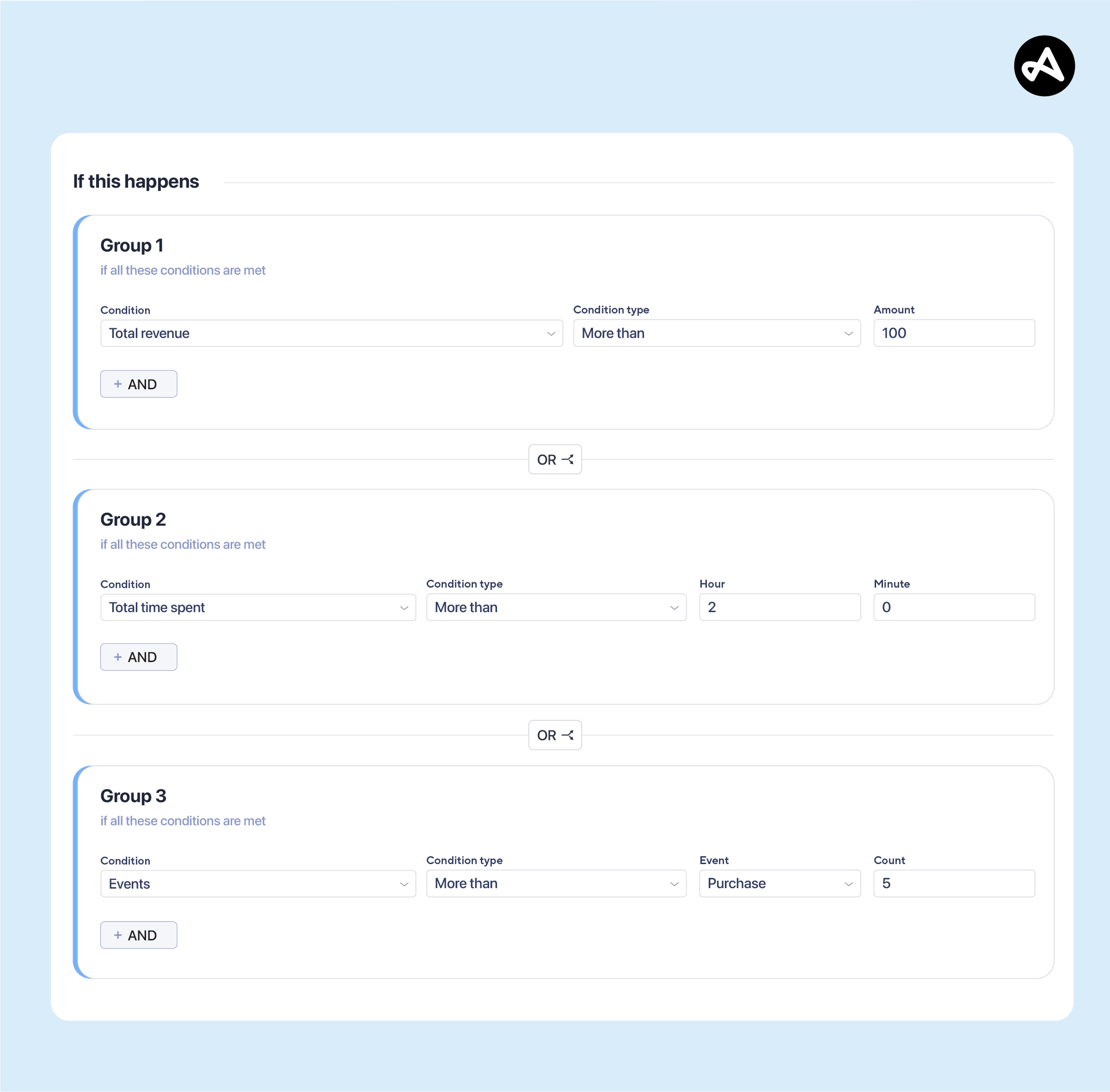
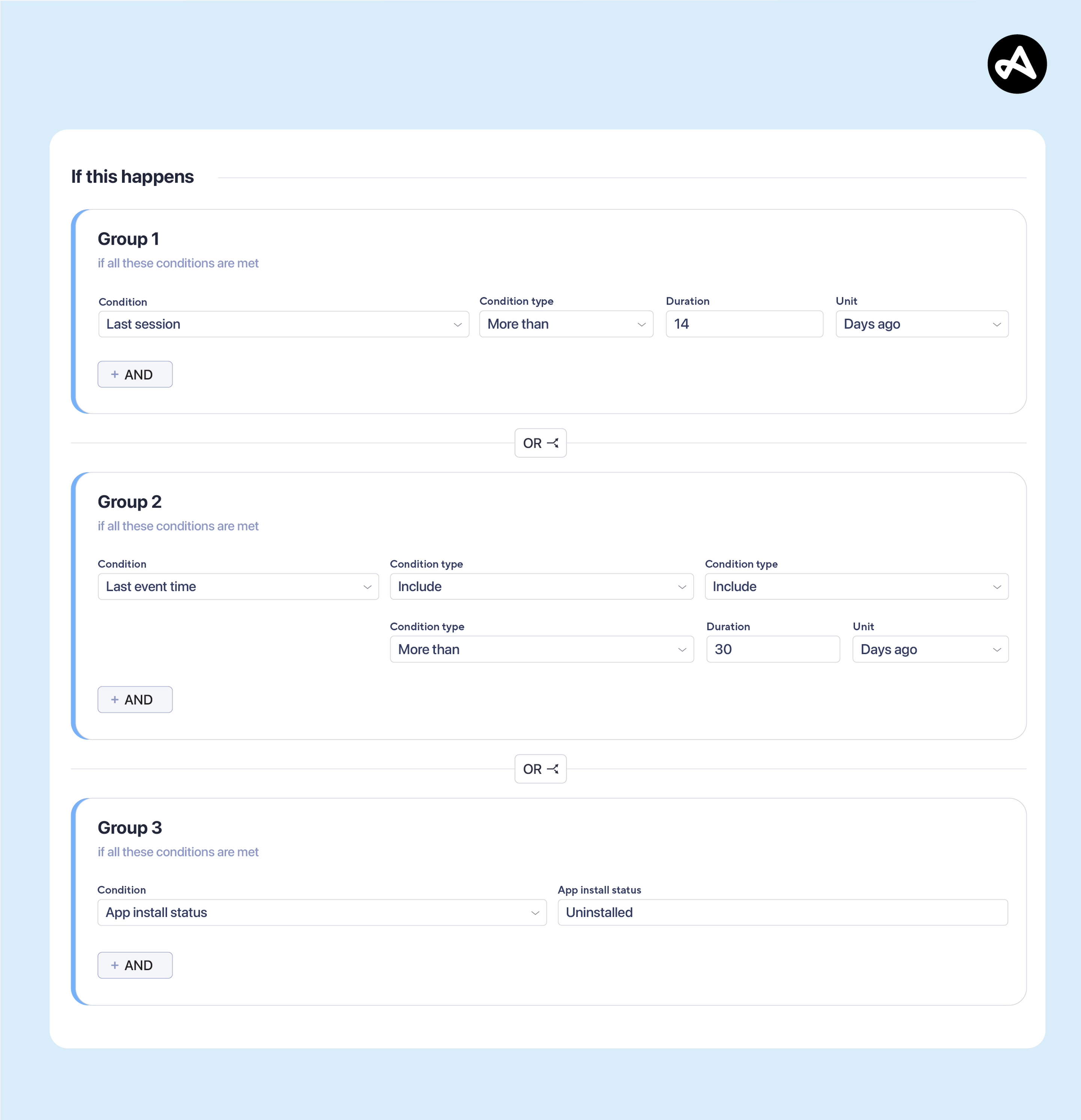
With OR logic, you can combine these different inactivity signals:
- Inactive users: No session in the last 14 days.
- Lapsed purchasers: Last purchase more than 30 days ago.
- Uninstalled users: App install status = Uninstalled.
Audience logic:
Inactive users OR lapsed purchasers OR uninstalled users.
This makes it possible to build a broader win-back audience that captures multiple signs of disengagement.
You can then use this audience to support re-engagement campaigns designed to bring users back to your app.
3. Combine market-specific strategies in one campaign
Different markets often require different targeting approaches.
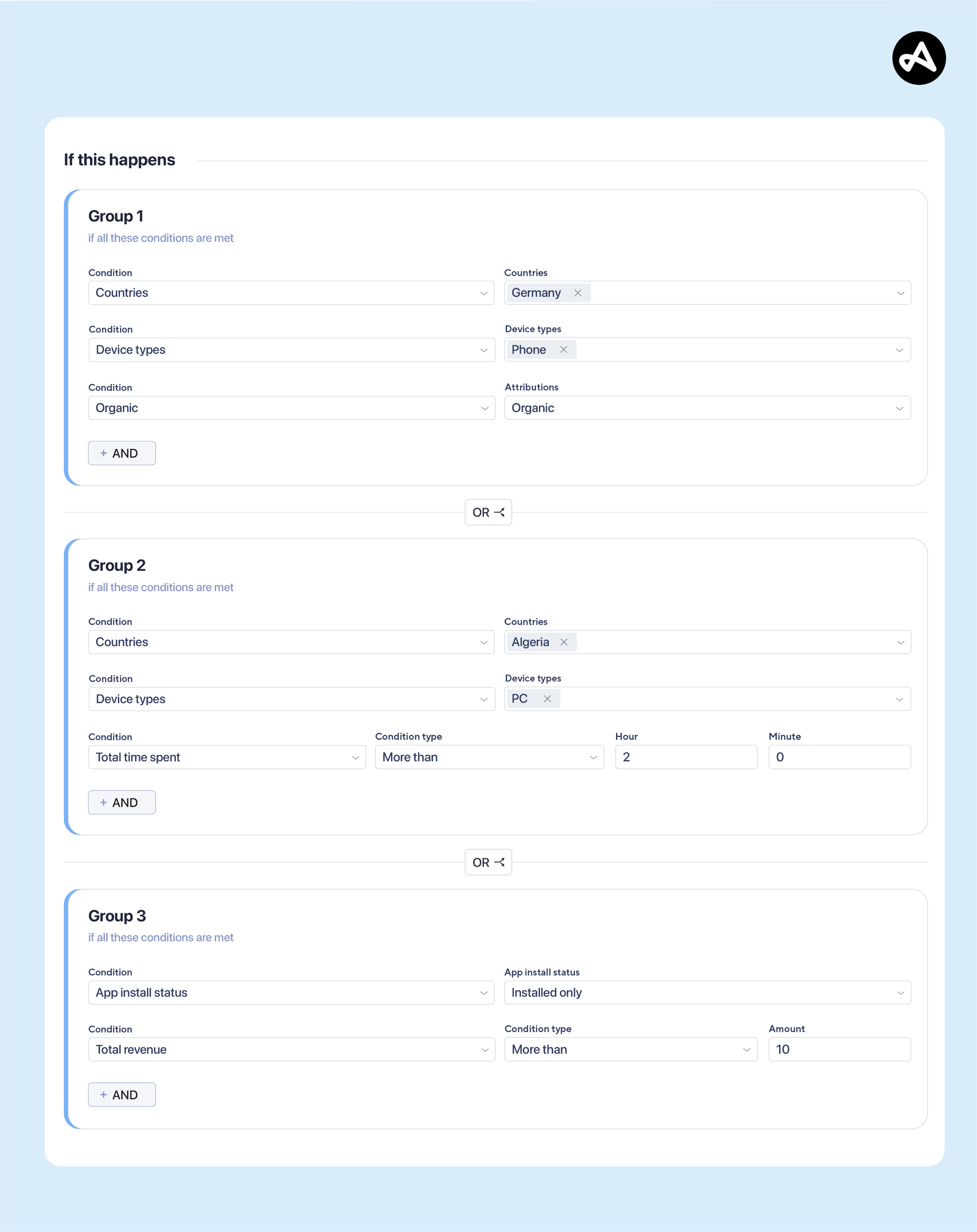
For example, a gaming company might want to focus on organic mobile users in Germany, engaged PC users in Algeria, and paying users across all markets.
With combined AND/OR logic, you can define each group separately:
Group 1: Organic mobile users in Germany
Country = Germany AND Device type = Phone AND Organic = Yes
Group 2: Engaged PC users in Algeria
Country = Algeria AND Device type = PC AND Total time spent > 5
Group 3: Paying users
App install status = Installed AND Total revenue ≥ $10
Audience logic:
(Group 1) OR (Group 2) OR (Group 3)
Users qualify when they satisfy all the conditions within at least one of these groups.
This lets you combine different market and behavioral strategies into a single audience definition, so you dont need to manage separate audiences for every targeting scenario.
Take audience segmentation further with Adjust
Effective segmentation isn’t always about making audiences narrower. Sometimes, it’s about bringing together distinct groups who are relevant to the same campaign goal. With AND/OR targeting, Adjust Audiences gives you more control over how conditions are combined, making it easier to create flexible, targeted audience definitions.
Ready to explore more audience strategies? Read our previous article, Turn segmentation into growth and scale campaigns with Adjust Audiences, to discover more ways to use audience segmentation for retargeting, personalization, and app growth.
To learn more about Adjust Audiences and how it can support your marketing strategy, request a demo.
Be the first to know. Subscribe for monthly app insights.
Keep reading
